
Here you can change the settings like which printer to use, how the import handles faulty files, etc.
Configuration and settings
Configuration and settings
-
Configuration
The configuration page allows you to configure your DPD Shipping and change the settings. Go to Shipping profile in the top menu, then click Configuration to the left.
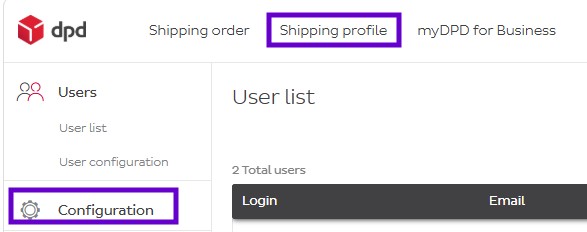
In this screen, you can change the things you like.
- Printer settings can be set to Direct Printing. This means the system will not pront the labels by PDF? but will directly send the print order to your default printer.
- Erroneous file import determines how the system will handle import files when there’s incorrect records in them.
- Import correct records and export erroneous records will make sure the system imports the correct records and then generate a log with the wrong records so you can fix and import them manually
- Reject whole file which has error will make the system refuse the entire file, even if only one record is erroneous, so you can fix the file and re-try.
- Desktop app – direct printing and automatic import this is the tool needed for the automatic import. This is discussed separately on the import page in point 5 about automatic importing. You can ignore this if you’re not doing any automatic import (automatic import is when the syste scans your folder every X seconds to automatically import what it finds)
- Export format settings is the format you wish to receive any exported files in. For example, when exporting your address book or your shipments, it can be done in Excel or CSV.
- Number of shipment references is how many references you want to be able to use on a shipment level.
- Number of parcel references is how many references you want to be able to use on a parcel level. One shipment can have multiple parcels.
- Default label format determines if the default format of your labels is either
- A4: four labels on one A4 sized page
- A6: the label is generated directly in A6 format.
Don’t forget to click Save once you’re satisfied with your changes.